I am trying to make a simple example of running the atlas software framework athena.
There are many things not working, but, as a start, I have the impression that part of the problem is a mismatch between the releases I can get in swan (LCG_106a) and the one attached to the athena version I am trying to run (LCG_106b_ATLAS_1). Also, it is not clear how to make sure that the environment set up by athena is actually picked up by the python environment of swan.
Dabbling in the dark arts again Denis
So I figured out the correct incantations, I’ll share them with you here. I’m always worried something will happen to make this spell stop working, so would appreciate any more robust support for this functionality from the SWAN team.
Determine the “site-packages” path for the LCG release you will be setting up on SWAN. The default currently is 109; I setup a SWAN session and look at $PYTHONPATH to extract the path, which is: /cvmfs/sft.cern.ch/lcg/views/LCG_109_swan/x86_64-el9-gcc13-opt/lib/python3.13/site-packages
Prepare a shell script with the following content:
in the last line, that’s where the path you determined in step 1 is put. This is necessary so that jupyter can still function after the asetup call.
Start a new session in SWAN using your shell script for the “Environment Script” in the setup page.
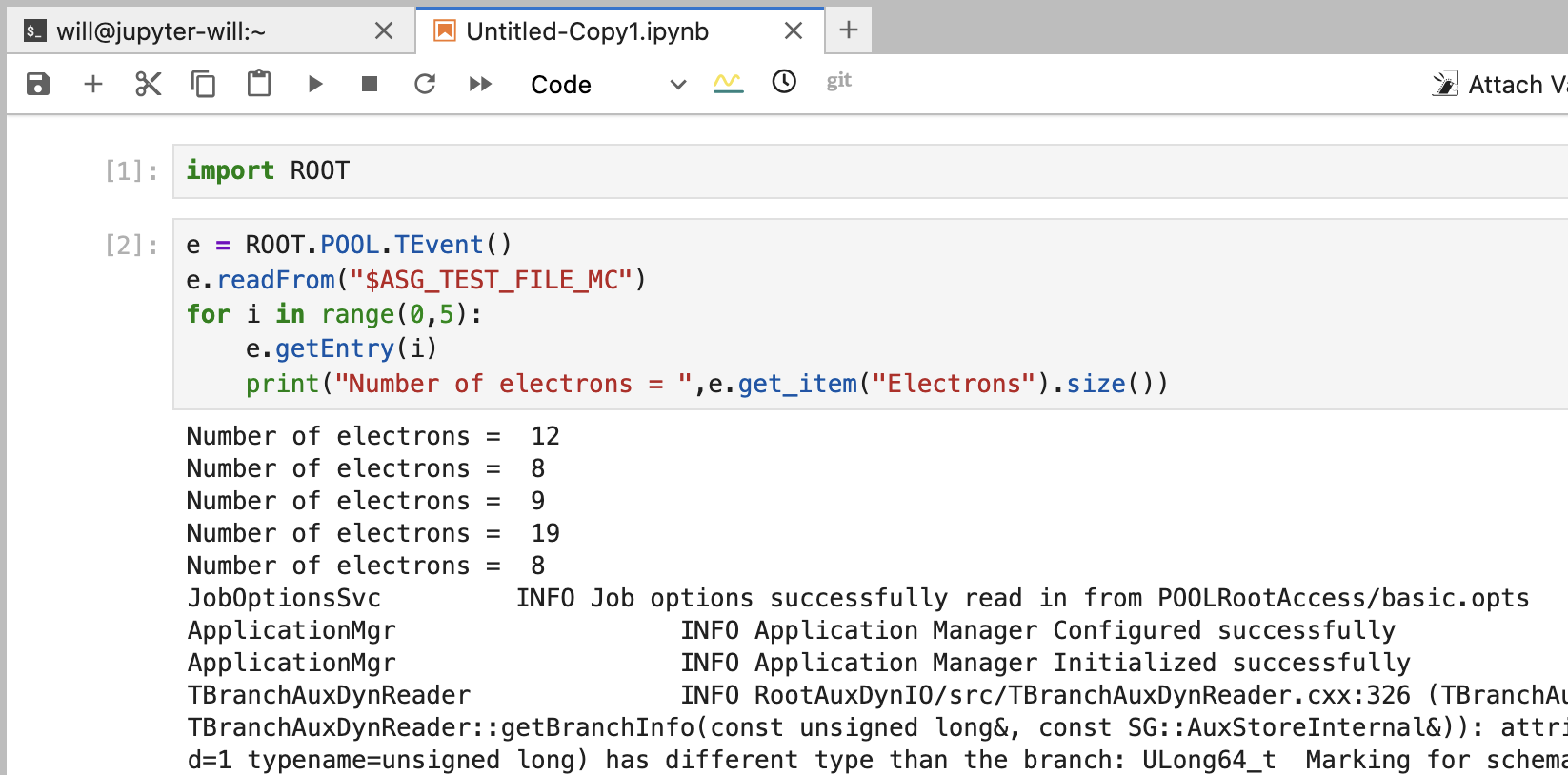
If all goes well, you will find you Athena functionality inside notebooks now (not guaranteeing everything works, but works for quite a lot of stuff … also be patient on the first import ROOT call while it caches everything from cvmfs) :
That said.. I just tried your solution. It seems like it blocks from running. even a simple command such as print(“something”) blocks. I am using a fixed release (Athena,24.0.140)
I tried swapping latest,main to 24.0.140 like you suggest and indeed it doesn’t work. It doesn’t block … the kernal actually dies. Clues about what is incompatible here can come from running commands like jupyter notebook on the terminal in the swan session. E.g. with latest,main I dont see an import errors, but I do get import errors with 24.0.140 and hence the notebook will just die.
Figuring out what is incompatible can be a real pain though.
Can you not use main branch, since it seems compatible?
It only works perfectly with the LCG109 and Athena,main,latest. I am running with this and that is ok. But, I wonder why LCG106b_ATLAS_1 is not one of the possible LCG “flavours” available in Swan? Also, it would be great to have a variable in Swan itself for the special path you add to the PYTHONPATH to facilitate that re-insertion of the variable (in an automatic manner). Also, I added the script with a configurable parameter for the athena release. The swan interface does not accept that (something like $CERNBOX_HOME/hltcalo_analysismacros/scripts/AthenaSetupInSwan.sh Athena,main,latest). Maybe it would be an interesting addition too.